Setup feeder
The intelligent feeder is parameterised in this step:
-
Movements / vibrations of the feeder
-
Intelligent feeding via hopper
-
Movement sequence for the smart distribution of parts
-
Parameters for intelligent emptying
 Step 1: Edit vibrations
The first step is to adjust the vibration parameters for the feeder so that the automatic movement sequence functions optimally.
Important: To set up the feeder, the movements are considered in relation to the connector (left-hand side)!
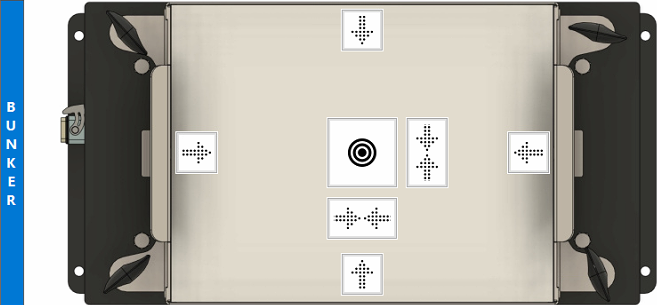
| Movement | Starting position | Description | |
|---|---|---|---|

|
Top to bottom |
Top |
These movements are important for the 'Centre parts' mode in the movement sequence. Without proper parameterisation of all movements, optimum function is not guaranteed. |

|
Left to right |
Left |
|

|
Bottom to top |
Bottom |
|

|
Right to left |
Right |
|

|
Centre left/right |
Left and right |
Centres the parts along the vertical axis. |

|
Centre top/bottom |
Top and bottom |
Centres the parts along the horizontal axis. |

|
Flip parts |
Distributed |
Try to rotate and distribute the parts. |

|
Flap | - |
Opens/closes the flap for automatic emptying. This option is only available if emptying is activated in the system settings. |
Control elements:
|
|
Starts a selected movement with the set parameters amplitude, frequency and duration. |

|
Stops the current movement. |

|
Activates the camera live image to support the setup of movements when there is no direct view of the feeder. This option can be very helpful for commissioning and remote support. |
Procedure for setting up the movements:
The procedure for setting up the movements is the same for all directions and is described here in general terms.
Information: An existing emptying flap leads to a slight imbalance and thus to a slight restriction of movement in some directions. This behaviour is normal and does not constitute a fault.
Information: The frequency is usually identical for all vibrations of the platform, with the exception of flip, transverse and longitudinal axis centring. Once a suitable frequency has been found for the movement of the parts on the platform, this is usually also suitable for the other movements.
-
Select the direction by clicking on the direction arrow (example:
). The selected direction is highlighted in yellow  .
. -
The set-up is carried out with a handful of parts. These are placed in the starting position.
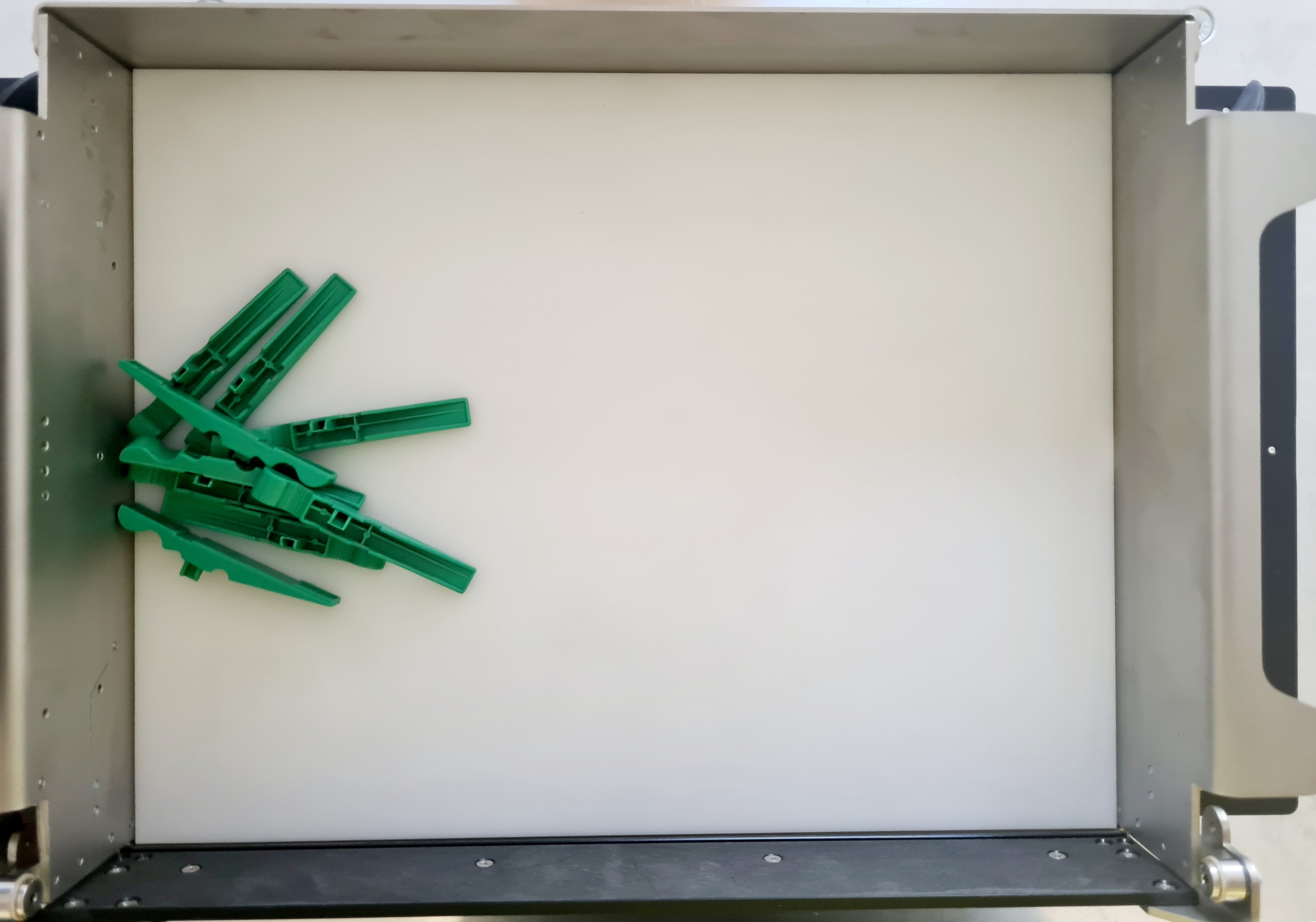
Information: For centring movements, place 50% of the parts in one direction and 50% of the parts in the other direction.
-
First determine the amplitude and frequency at which the parts move best from the initial direction to the direction of movement. Keep pushing the parts back to the starting position. Press
to execute the movement for the set duration.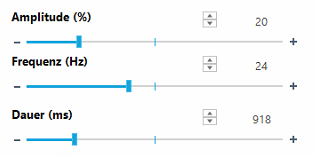
-
Change amplitude and frequency in small steps, as even single steps cause a large change.
Important: If the parts do not move perfectly in the desired direction, you can correct the movement error using the sliders on the sides.
Possible causes are: The feeder is not mounted horizontally or is unbalanced due to the use of the discharge flap; correct adjustment of the directions prevents parts from accumulating on one side or in one corner during production. It is important to set these directions carefully. -
Once the amplitude and frequency have been found, set the duration so that the parts move from one side to the other during this time.
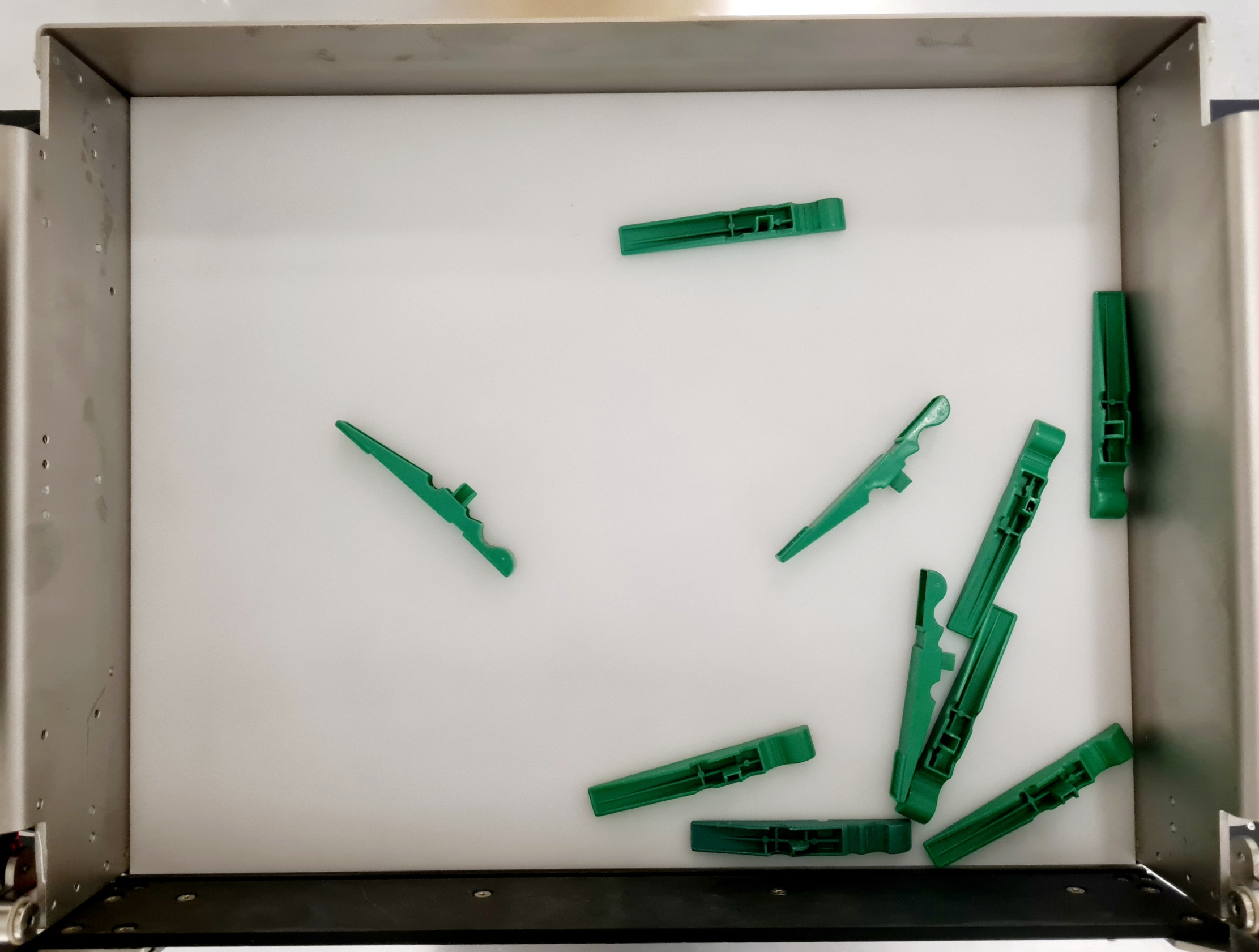
Important: If the system has an emptying flap, the movement in the emptying direction should be tested with the cap open. To do this, the flap can be opened using the ' Flap' button.
Step 2: Feeding
The feeder is used for the intelligent feeding of parts onto the platform and is designed to ensure that there are always enough parts available at the feeder.
| Function | Description | |
|---|---|---|

|
Optimum number of parts | Specifies the optimum desired number of parts on the feeder. The control circuit attempts to achieve this number during tracking. |

|
Duration for feeding | Describes the duration of the feeding required for the optimum number of parts when the feeder is completely empty. |

|
Intensity | Amplitude of the hopper vibration with Asyril Asyfill devices. |
Functional principle
The intelligent feeder is executed before each Smart Part Detection run and automatically feeds the parts from the hopper system onto the feeder platform.
The duration of the feed depends on the number of parts on the platform. The more parts are recognised, the shorter the tracking time from the hopper, whereby the upper limit is specified by the duration of the feed. The time is interpolated linearly from 0 to the optimum number of parts.
Example:
-
Optimum number of parts: 50
-
Duration for the feed : 1000ms
-
This results in 20ms per missing part (1000ms / 50 parts)
-
If there are 10 parts on the platform, the bunker is activated for 800ms (40 missing parts * 20ms per part)
-
If there are 20 parts on the platform, the bunker is activated for 600ms (30 missing parts * 20ms per part)
-
If there are 30 parts on the platform, the bunker is activated for 400ms (20 missing parts * 20ms per part)
-
If there are 40 parts on the platform, the bunker is activated for 200ms (10 missing parts * 20ms per part)
Determine the optimum number of parts
Place pieces randomly on the Asycube and then stop adding new pieces if they are too close together. Count the pieces on the Asycube. This is your optimum number of parts .
Information: The optimum number of parts is used by 'Prepare Part' and 'GetPart' to track the required parts. See Smart Part Detection.
Determine the duration of the feeding
Information: Before determining the duration, the intensity of the feeding (if the hopper supports this) should be set, as the intensity has an effect on the duration.
Sequence:
-
Remove all parts from the feeder and fill the parts into the hopper.
Important: Fill the hopper as in productive operation, as the duration varies depending on the filling level.
-
Start the feeding for the set time with

-
Count the parts that have fallen onto the platform and adjust the duration
.Information: Carry out these steps until you have the desired number of parts.
Step 3: Move
The movements are executed during Smart Part Detection when no more parts are available. The sequence consists of seven steps, five of which are configurable:
-
Step 1 is always the intelligent feeding of parts.
-
last step is a waiting time to stabilise the parts
.
Information: The specified total time takes into account the dynamic elements.
Available movements:
| Function | Description | |
|---|---|---|
| - | Step without function | |

|
Centre parts | Try to move the centre of gravity of the parts to the centre using the four directions of movement (left, right, up, down). The time given is the maximum time. |
|
|
Centre vertically | Performs vertical centring for the specified time. |
|
|
Centre horizontally | Performs horizontal centring for the specified time. |
|
|
Distribute/flip | Executes the distribution for the specified time and attempts to turn or distribute the components. |
|
|
Wait | Waits for the specified time and can be used to stabilise parts during the sequence. |
Recommended standard sequence
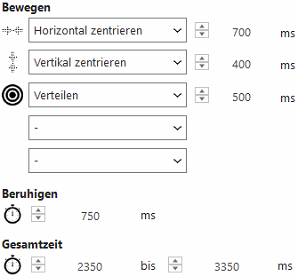
Sequence:
-
Create the desired sequence.
-
Use 'Test movement'
to execute the sequence.-
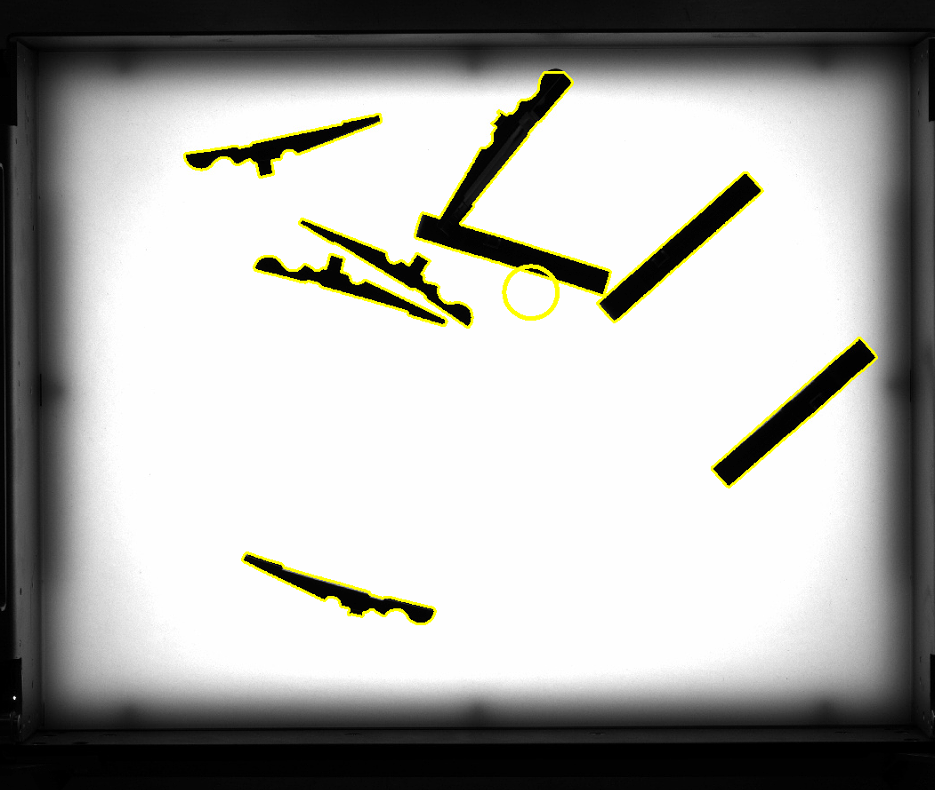
An image is taken before and after the movement to show the differences.
-
The detected component areas are outlined in yellow and the centre of gravity is marked with a yellow circle.
-
The centre of gravity determined is used for the Centre parts
function.
-
-
Adjust the settling time so that the parts no longer move before the second image.
Diagnosis
|
Test movement
|
Executes set sequence and records an image before and after. This is helpful for testing and optimising the sequence with different parts distribution. |
 Step 4: Intelligent emptying
The intelligent emptying system contains all the parameters for the Smart Purge function. This ensures complete emptying of the feeder system, including the hopper.
| Function | Description | |
|---|---|---|
|
|
Cycle | Specifies the duration of an emptying cycle from image to image. |
|
|
Hopper control | Specifies the percentage activation time of the hopper. This should always be less than 100% so that the platform is emptied for longer than the hopper. |

|
Run after | If no more parts are detected on the platform, the platform continues to run for the specified time in order to convey out parts that are close to the flap (and outside the detection area). |